


Shopify payout reconciliation: why your payouts never match your sales

Reviewed by Alex Gillespie
, ICAEW chartered accountant
In short
A Shopify payout is a net cash amount: the orders in that batch, minus Shopify Payments fees, refunds, chargebacks and any reserve. It will almost never equal your sales for a day or a month. The fix is to record gross sales, fees and refunds separately through a clearing account, then match each payout to the bank. Done that way, your turnover, costs and VAT are all correct, and any money that's missing shows up straight away.
Most Shopify sellers have the same moment: you add up last month’s sales, look at what arrived in the bank, and the two numbers don’t match. Sometimes it’s a few pounds, sometimes it’s thousands.
Usually nothing is wrong. Sales and payouts measure different things. But if your books are built from the payouts alone, your turnover, costs and VAT will be wrong, and real problems get hidden. This guide explains the gap and how to record Shopify properly.
Sales and payouts are different numbers
- Sales are what customers paid for their orders: the gross amount, including VAT and any postage they paid.
- A payout is the cash Shopify sends to your bank for a batch of transactions, after it has taken its fees and any other deductions.
So the payout is always a net figure. Expecting it to equal your sales is like expecting your payslip to equal your salary.
What sits between your sales and your payout
| Item | What happens |
|---|---|
| Payment processing fees | Shopify Payments takes its card fee from each transaction before paying out |
| Refunds | Refunds you issue are deducted from the payout they fall in, not the original sale’s |
| Chargebacks and dispute fees | If a customer disputes a payment, the amount (and a fee) comes out of a payout |
| Reserves | Shopify can hold back part of your balance to cover future refunds and chargebacks |
| Adjustments | Corrections, reversed chargebacks and other one-off movements |
| Timing | A payout covers a batch of transactions, so a month’s sales and that month’s payouts overlap differently |
| Other gateways | Orders paid by PayPal, Klarna or other providers are paid by them, not in Shopify payouts |
On reserves, Shopify’s help centre says they’re designed to protect against potential losses from disputes and refunds. The money is still yours. It just isn’t paid out yet.
The last row catches a lot of sellers out. If a quarter of your customers pay with PayPal, a quarter of your sales will never appear in a Shopify payout. Each gateway needs reconciling on its own.
An example
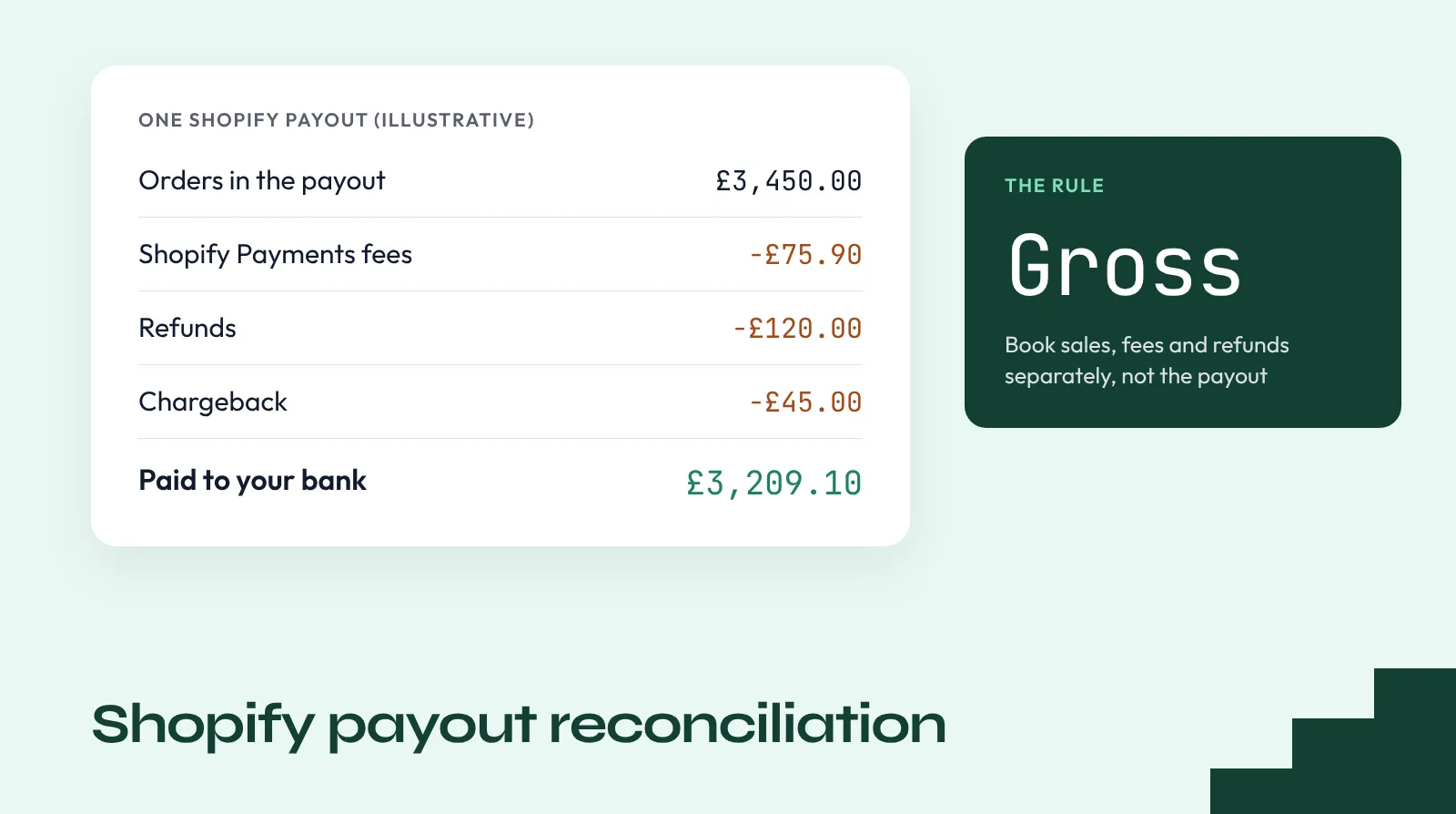
Here’s an illustrative payout with invented figures:
| Amount | |
|---|---|
| Orders included in the payout | £3,450.00 |
| Shopify Payments fees | -£75.90 |
| Refunds issued in the period | -£120.00 |
| Chargeback | -£45.00 |
| Paid to your bank | £3,209.10 |
If you booked the £3,209.10 as sales, your accounts would understate turnover by £240.90 and show no fees at all. Over a year that distorts your margin, your VAT and your view of how much each sale really costs you.
How to record it properly
The method that works, whether you use Xero or QuickBooks:
- Set up a Shopify clearing account. It’s a bank-type account in your books that represents money Shopify holds for you.
- Record gross sales into the clearing account. Sales go in at the full amount, with VAT recorded correctly on the sale.
- Record fees as a cost. Payment processing fees come out of the clearing account as an expense, so you can see what they cost you.
- Record refunds and chargebacks separately. Don’t net them off sales. Refunds reduce sales, and chargebacks and dispute fees are their own lines.
- Record each payout as a transfer from the clearing account to your business bank account, and match it to the bank line.
- Check the clearing account balance. It should equal money Shopify genuinely still owes you: recent sales not yet paid out, plus any reserve. If it keeps growing, something is being missed.
For other gateways, repeat the same pattern with a clearing account each for PayPal, Klarna and so on.
Where the data comes from
You don’t need to rebuild payouts by hand from orders. In Shopify admin, the payouts section of Finances lists each payout with its transactions, and you can export the detail. That export has what you need: gross amounts, fees, refunds and adjustments for each payout.
For anything beyond a handful of orders, a connector saves hours. A2X and Link My Books both read each payout and post one summary journal to Xero or QuickBooks, with sales, fees, refunds and VAT split out and the payout ready to match. Our comparison of A2X and Link My Books explains which suits which kind of store.
Mistakes we see most often
- Payouts booked as sales. The most common one, and it hides every fee.
- PayPal sales missing. The seller reconciles Shopify Payments perfectly and never records the PayPal side.
- Refunds netted off the next payout’s sales instead of recorded as refunds, so sales and refund rates both look wrong.
- Reserves treated as lost money. A reserve is still an asset until it’s released or used.
- VAT on the net figure. VAT is due on what the customer paid, not on what Shopify paid you after fees.
- Months not closed. A payout that lands on 2 March but covers February’s orders belongs to February’s sales.
A monthly routine that keeps it right
- Make sure every Shopify payout in the month is matched to the bank.
- Check the clearing account balance against Shopify’s unpaid balance and any reserve.
- Do the same for each other gateway.
- Look at fees, refunds and chargebacks as a percentage of sales, and investigate anything unusual.
That’s the core of our reconciliation service, done every month for every channel. If your payouts and sales have drifted apart and you want them put straight, see how we work with Shopify sellers or book a free discovery call.


